- Inspire
- Innovate
- Integrate

- Home
- Case Studies
- BIM – Automated Sheet Annotation – 90% Faster Documentation | Conserve Solution
BIM – Automated Sheet Annotation – 90% Faster Documentation | Conserve Solution
Project Snapshot
- Client – UK-based Architectural and Structural Design Firm
- Sector –Multi-disciplinary BIM Project
- Platform –Autodesk Revit
- Automation / Digital Intelligence Service Consultant: Conserve Solutions
- Outcome: 75% – 90% reduction
Problem Statement
“Our client has highlighted his concern ‘’that the current annotation process is heavily manual and volume-driven, resulting in inconsistent output quality, lack of standardization across sheets, and increasing pressure on delivery timelines. As project volumes grow, the current approach is not scalable without a proportional increase in resources – directly impacting productivity, project margins, and the ability to meet client expectations consistently.”
“Always the challenges identified by the clients are not constraints – they represent clear opportunities to enhance their quality, improve scalability, and drive sustainable growth.”
Impacts of Challenges:
a. Increased Delivery Pressure
Ongoing struggle to meet timelines, leading to frequent schedule compression and reactive execution.
b. Erosion of Client Confidence
Inconsistent outputs and lack of standardization reduce trust from owners and stakeholders, impacting long-term relationship value.
c. Compromised Quality and QA Reliability
Variability across sheets increases review cycles, rework, and the risk of errors passing through QA.
d. Unsustainable Team Scaling
Increased workload requires proportional addition of resources, creating dependency on manpower rather than process efficiency.
e. Margin Compression and Cost Overruns
Higher rework, extended timelines, and increased staffing directly impact project profitability and cost control.
Our Approach
Conserve Solutions approached this as an Intelligent Workflow Design Problem – not a software task.
Rather than simply automating what was already being done manually, we first mapped the annotation logic: what rules govern, where a tag is placed, how a dimension is formatted, and how annotations should respond to element type, geometry, and orientation.
Methodology
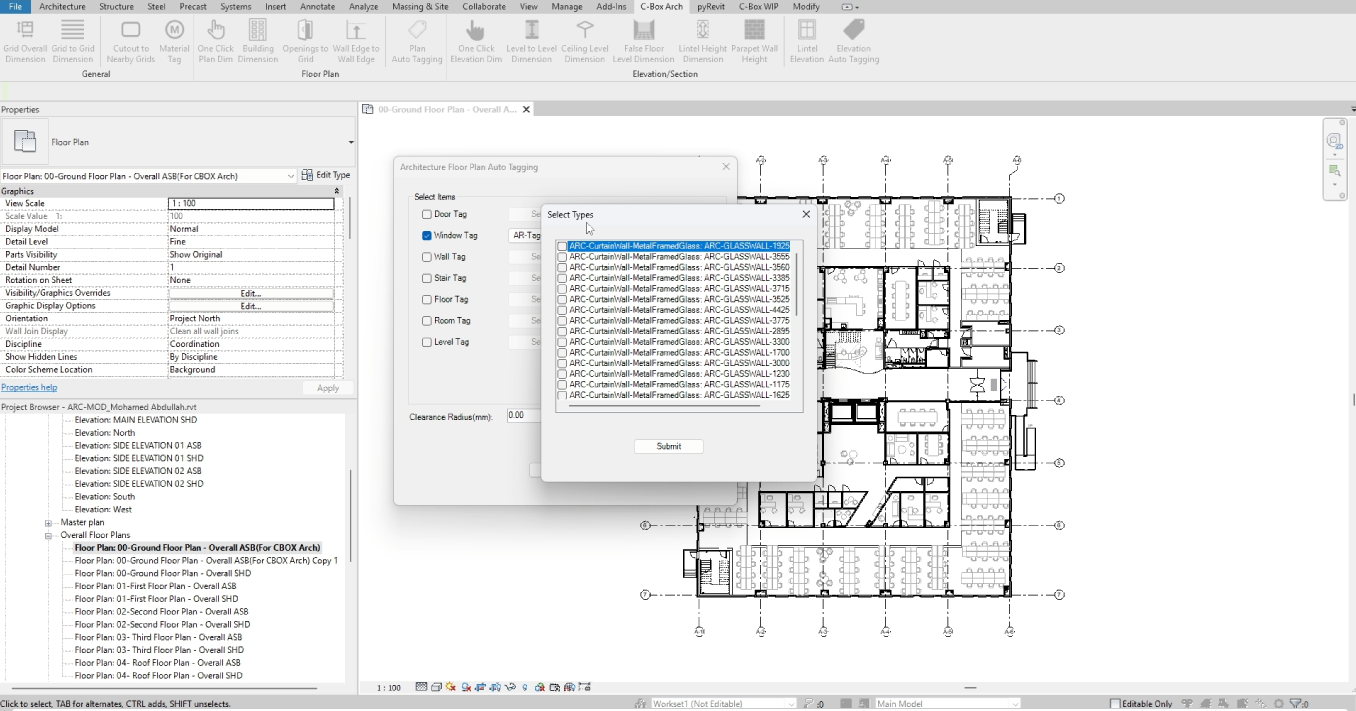
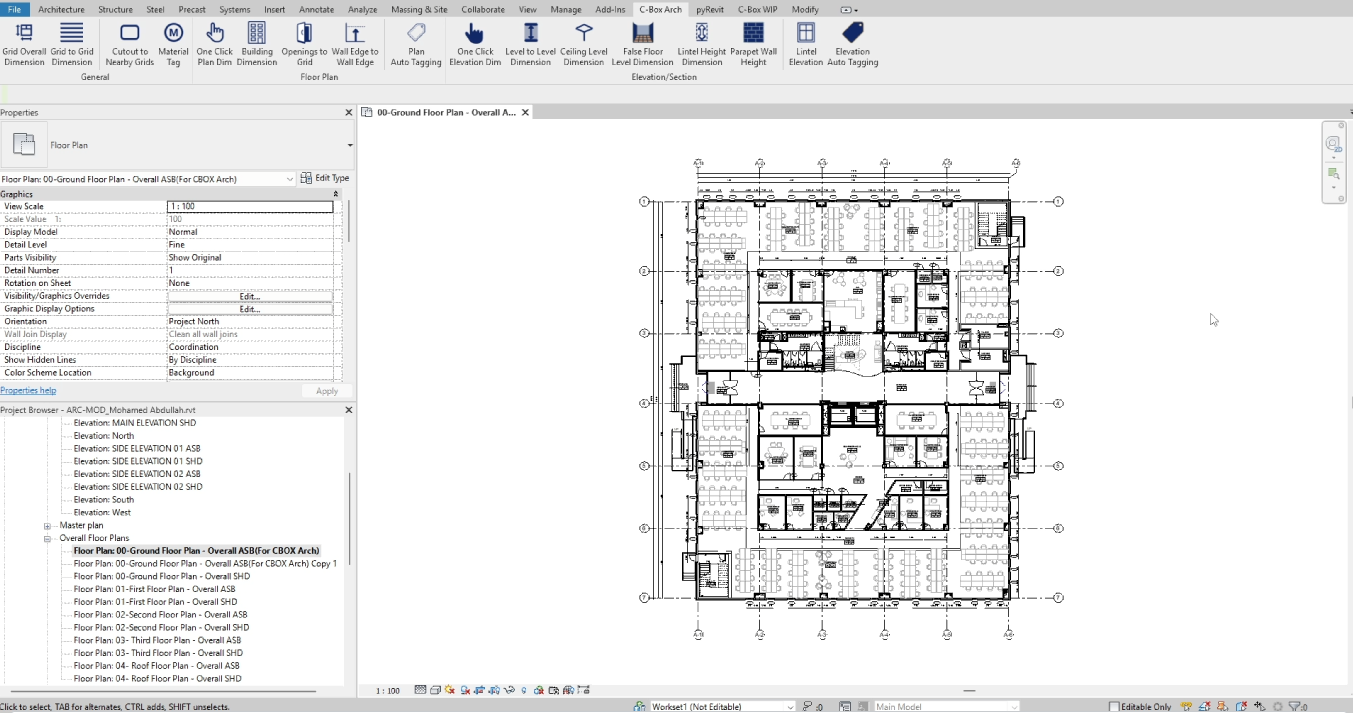
From that mapping, we designed and built a ‘Rule-based Automation Engine within Revit’ – a workflow that reads the model, applies the defined annotation logic, embedded QA/QC integration, Single-Run Execution across all sheets and revised workflow optimisation.
Project Timeline
4 Weeks
Delivered
- Rule-based Automation Engine within Revit
- Full written record of rules for client’s future use and onboarding
- Client’s BIM team trained on operating the workflow and handling exceptions
Before vs After (Our Measurable difference)
|
Workflow Stage |
Before Automation |
After Automation |
Impact |
|
Tagging |
Manual, repetitive placement |
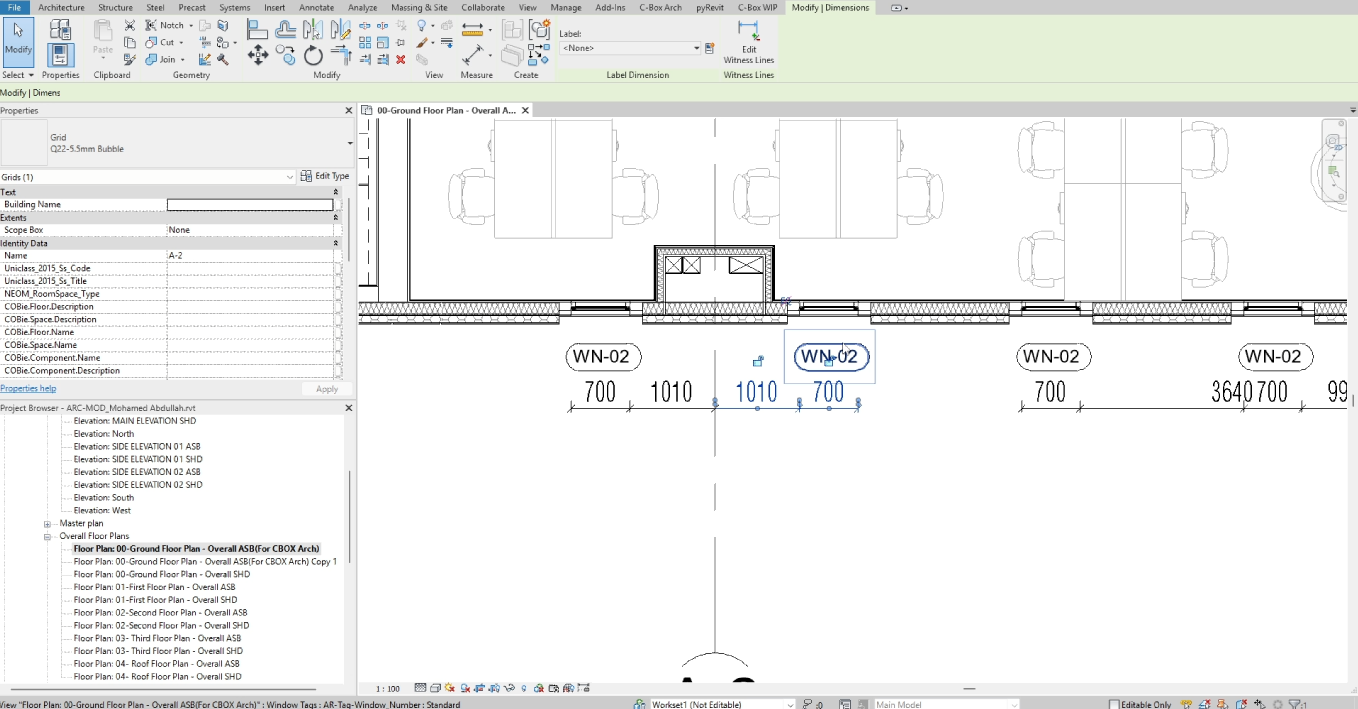
Rule-based automated tagging |
85–90% faster per sheet |
|
Dimensioning |
Time-consuming manual effort |
Fully automated dimensioning |
~30–45 mins reduced to ~5–10 mins per sheet |
|
Annotation Consistency |
Inconsistent across sheets |
Standardised and uniform output |
Variation eliminated across 100+ drawings |
|
Sheet Preparation |
~6–8 hours per sheet |
Under 1.5 hours per sheet |
75–90% reduction – total sheet preparation time |
|
Error Handling |
High risk of manual errors |
Minimal errors with automation |
Rework cycles reduced to near-zero |
|
Revisions |
Rework required across multiple sheets |
Quick updates with minimal effort |
Revision updates reduced from hours to minutes |
Why Conserve Solutions?
Several aspects of our approach set this engagement apart from a standard automation exercise:
- We Designed the Logic; Before We Built the Tool
- We Built Quality In, Not On
- We Thought about Scalability
- We left the Client better Equipped
The Conserve Solution,
We didn’t just automated the tasks. We build intelligent, rule-based BIM workflows that enforced the client’s standards, eliminated the rework, and scaled with the project – leaving our Client’s team more equipped than when we arrived.

Client Outcome
“The time saving was immediately obvious – but what surprised us most was the consistency. Every sheet looked like it had been annotated by the same person, following the same rules, at the same time. That is something we had never been able to achieve manually at this scale..”

Quick Links
Copyrights © 2026. Conserve Solutions. All Rights Reserved.
BIM Data, Cost & Handover Services
BIM Coordination & Constructability
BIM Modelling & Digital Delivery
Discipline BIM Modeling (Architectural, Structural, MEP)
BIM Automation & Digital Engineering
BIM Data, Cost & Handover Services
Structural & Steel Detailing Services
Architectural Design, Visualization & Presentation Support
BIM Coordination & Constructability
BIM Modelling & Digital Delivery