- Inspire
- Innovate
- Integrate

- Home
- Case Studies
- Eliminating Repetitive DFMA Documentation through General Workflow Automation – Achieving ~80% Reduction in Documentation Time
Eliminating Repetitive DFMA Documentation through General Workflow Automation – Achieving ~80% Reduction in Documentation Time
Project Snapshot
Parameters | Details |
Client Type | UK-based Modular Construction Firm |
Sector | Residential Buildings |
Platform / Software | Autodesk Revit |
Automation Consultant | Conserve Solutions |
Key Outcome | Reduced DFMA documentation effort from 5–7 hours to 15–20 minutes through workflow automation |
Problem Statement
Our BIM teams were spending excessive time on repetitive documentation activities across wall, floor, and roof assemblies. Manual workflows for views, sheets, schedules, and annotations were slowing delivery timelines and creating inconsistencies between assemblies.
Impact of Challenges
- Delivery Delays: Documentation workflows significantly slowed DFMA delivery timelines
- Resource Strain: BIM teams spent considerable engineering effort on repetitive production activities
- QA/QC Dependency: Manual workflows increased verification and coordination effort
- Documentation Inconsistency: Variations between assembly deliverables impacted standardization
- Scalability Limitations: Increasing assembly volumes created production bottlenecks
- Operational Overhead: Repetitive drafting and coordination activities reduced engineering efficiency
Conserve Solutions - How We Solved It
a. Thinking (Strategy)
Rather than optimizing isolated documentation activities individually, Conserve Solutions approached the challenge as a workflow scalability and production-efficiency problem.
The objective was to create a standardized automation ecosystem capable of reducing repetitive production dependency while maintaining consistency across all DFMA assemblies.
The strategy focused on:
- Standardizing repetitive BIM documentation workflows
- Reducing manual production effort
- Improving workflow scalability across modular projects
- Embedding automation directly into existing BIM delivery processes
- Creating reusable documentation logic for long-term operational efficiency
This approach ensured the solution addressed not only immediate production delays, but also the client’s long-term scalability requirements.
b. Execution (What We Built)
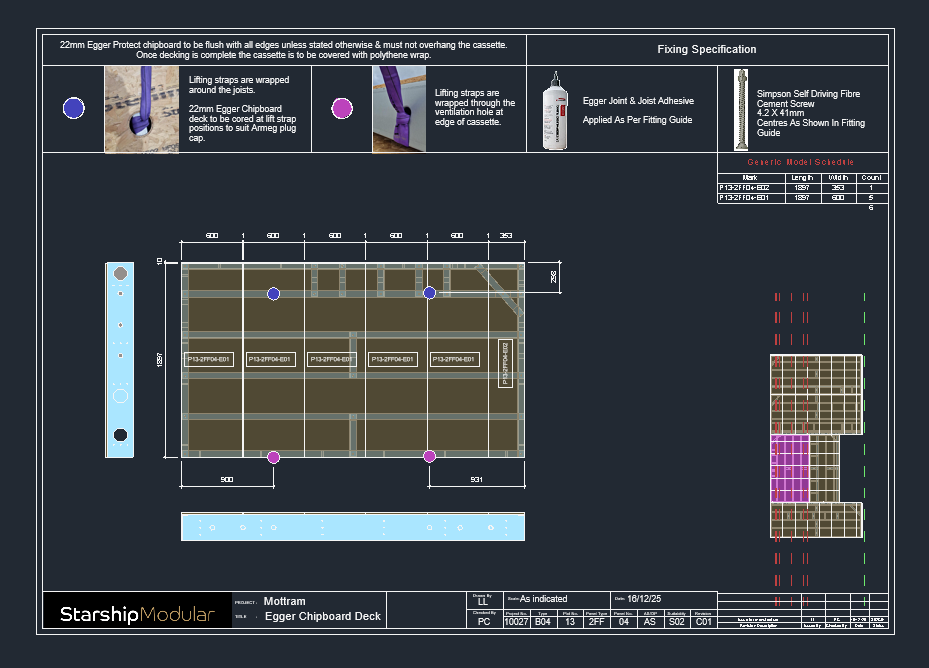
A General Workflow Automation framework was developed directly inside Autodesk Revit to automate repetitive DFMA documentation workflows across wall, floor, and roof assemblies.
The automation framework streamlined:
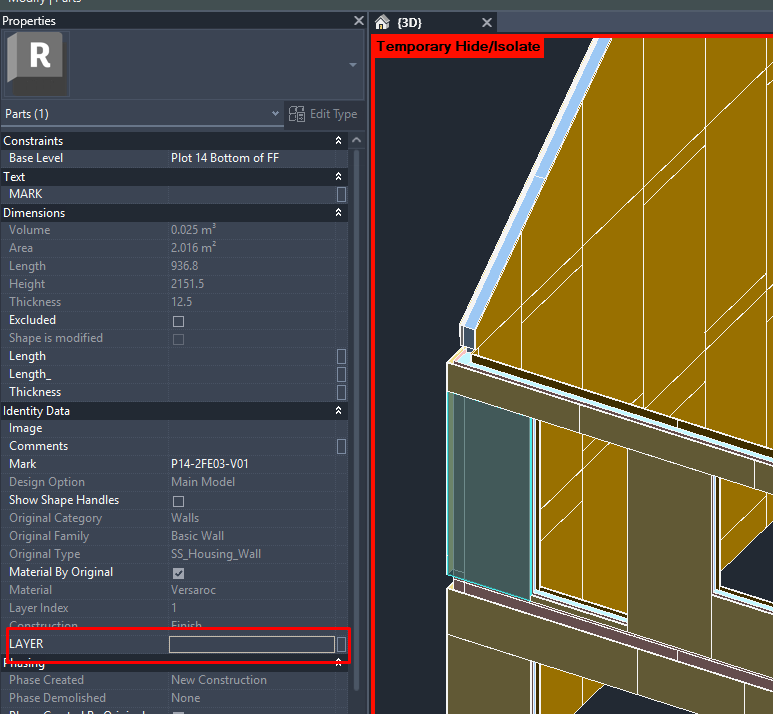
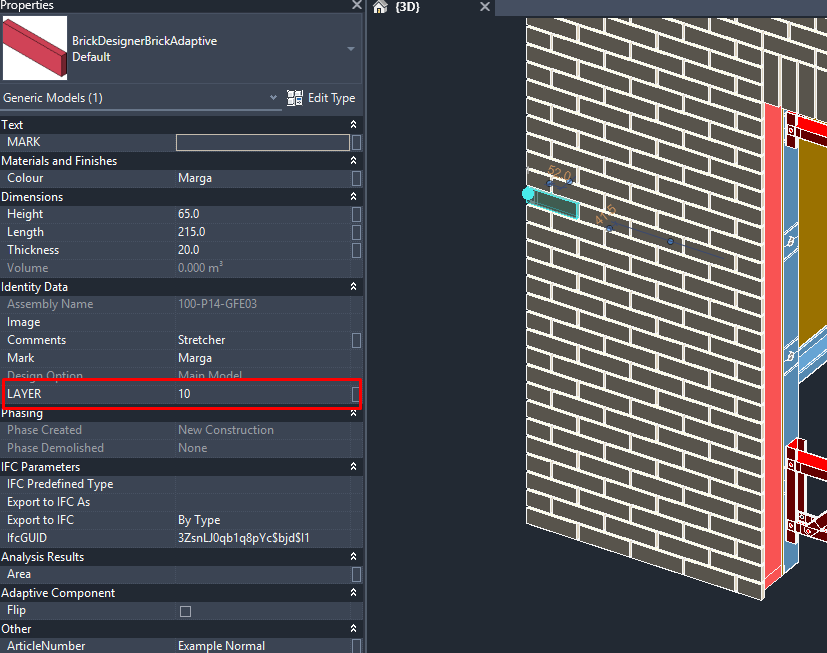
- Layer numbering
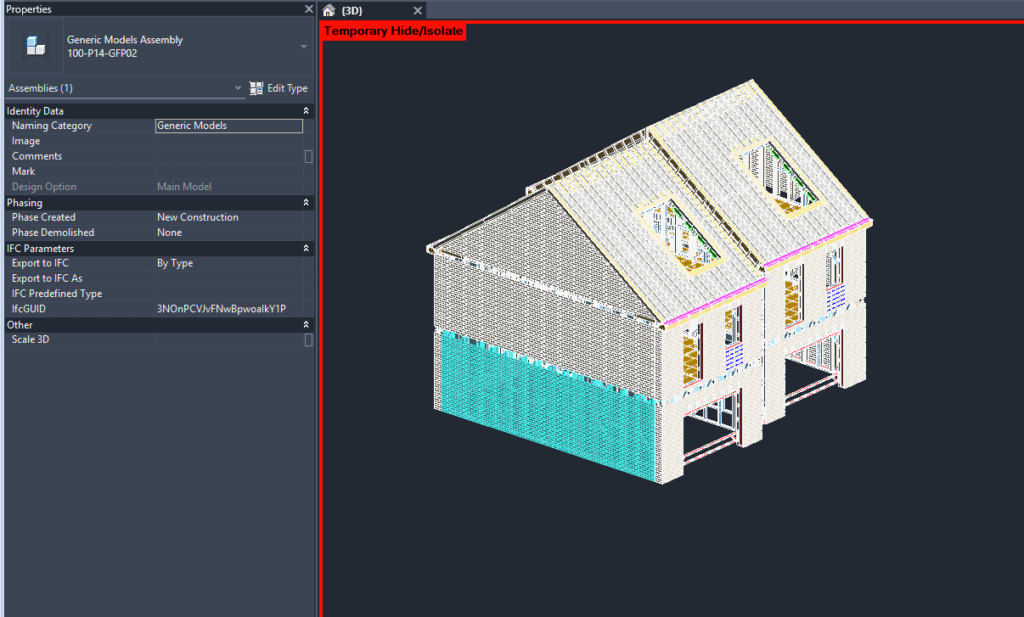
- Assembly view generation
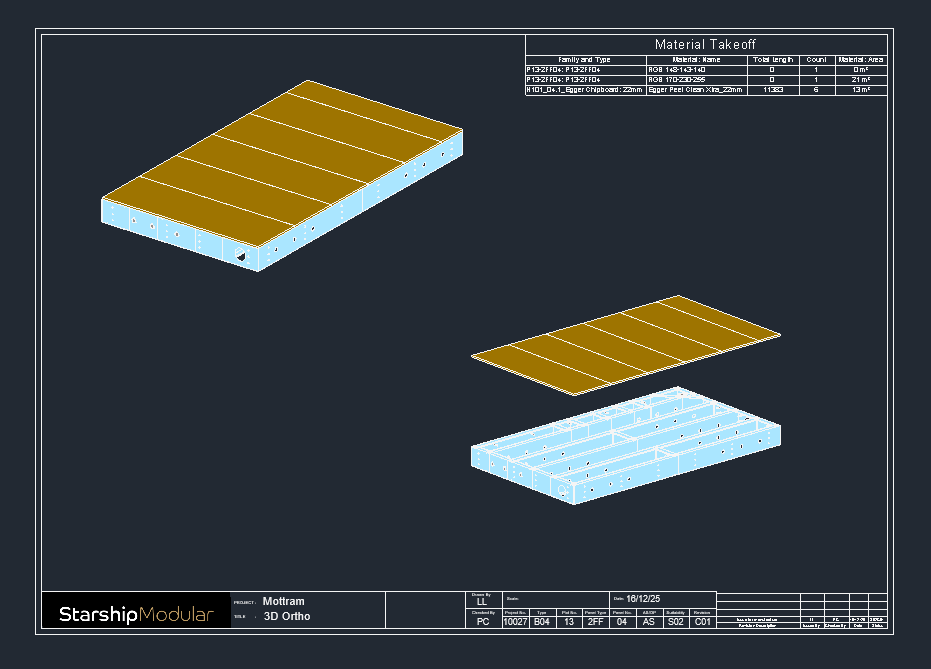
- Sheet creation workflows
- View and sheet template application
- Schedule generation
- Annotation and tagging coordination
Once assembly parts were created, the system automatically:
- Assigned layer numbers based on DFMA standards
- Generated standardized assembly views
- Applied predefined templates
- Created sheets using approved layouts
- Generated schedules automatically
- Tagged parts and layer references for coordination clarity
What previously required hours of repetitive production work was transformed into a streamlined automation-driven BIM workflow completed within minutes.
c. Integration (Impact Layer)
The automation framework was integrated directly into the client’s existing BIM documentation environment without disrupting established project standards or delivery workflows.
This enabled BIM teams to transition from production-heavy manual processes toward a scalable, automation-enabled delivery model capable of supporting high-volume modular construction programs.
The integration improved:
- Documentation reliability
- Coordination consistency
- Workflow predictability
- Engineering throughput
- DFMA delivery speed
- Long-term operational scalability
Project Timeline:
Phase | Duration |
Workflow Analysis & Logic Development | 1 – 2 Weeks |
Automation Development & Testing | 2 – 3 Weeks |
QA/QC Validation & Workflow Integration | 1 Week |
Total Duration | Approximately 4 – 6 Weeks |
What we delivered:
- General Workflow Automation framework inside Revit
- Automated layer numbering system
- Automated assembly view generation workflow
- Standardized sheet creation workflow
- Automated schedule generation process
- Automated tagging and annotation system
- Workflow documentation and implementation standards
- QA/QC validated automation workflow
Software & Technology Used:
- Autodesk Revit
- BIM Automation Workflows
- DFMA Documentation Standards
- Rule-Based Documentation Logic
- Workflow Optimization Frameworks
Before vs After Automation (High Impact Section)
Workflow Task | Before Automation | After Automation | Improvement |
Layer Numbering | 50–60 mins | < 1 min | ↓ ~96% Faster |
Assembly View Creation | 45–60 mins | < 2 mins | ↓ ~95% Faster |
Sheet Generation | 60–90 mins | < 2 mins | ↓ ~93% Faster |
Schedule Creation | 30–45 mins | Automatic | 100% Automated |
Tagging & Annotation | 20–30 mins | Automatic | 100% Automated |
Total Documentation Time | 5–7 Hours | 15–20 Minutes | ↓ ~80% Time Saved |
Why Conserve Solutions
- Domain-focused expertise in DFMA and modular BIM workflows
- Process-driven automation strategy rather than isolated scripting approaches
- Strong focus on scalable BIM delivery architecture
- Integrated QA/QC-oriented workflow engineering
- Ability to combine strategy, automation development, and workflow integration
- Solutions designed to improve long-term operational efficiency and production scalability
Conclusion
This case study shows that DFMA documentation pain points were fundamentally workflow problems, not modelling limitations. By embedding a general automation framework directly inside Revit, the client shifted from manual, production-heavy tasks to a scalable, rules-driven process that consistently delivers DFMA outputs within minutes instead of hours.
Standardized logic for layer numbering, views, sheets, schedules, and tagging converted repetitive drafting into a predictable, reusable automation asset that strengthens both delivery speed and documentation reliability across wall, floor, and roof assemblies. As modular volumes grow, this connected automation layer now acts as a production multiplier – freeing BIM teams to focus on coordination and design decisions while ensuring DFMA documentation remains accurate, consistent, and ready to scale with future programmes.
Client Outcome
“The automation framework significantly reduced repetitive documentation effort and improved the consistency of our DFMA deliverables. Activities that previously consumed several hours were completed within minutes, allowing our teams to focus more on coordination and project delivery.”
– BIM Project Lead, Modular Construction Delivery Team

Quick Links
Copyrights © 2026. Conserve Solutions. All Rights Reserved.
BIM Data, Cost & Handover Services
BIM Coordination & Constructability
BIM Modelling & Digital Delivery
Discipline BIM Modeling (Architectural, Structural, MEP)
BIM Automation & Digital Engineering
BIM Data, Cost & Handover Services
Structural & Steel Detailing Services
Architectural Design, Visualization & Presentation Support
BIM Coordination & Constructability
BIM Modelling & Digital Delivery