- Inspire
- Innovate
- Integrate

- Home
- Case Studies
- Improving BIM Data Consistency Through Space Mapping, Schedule Management and Documentation Automation
Improving BIM Data Consistency Through Space Mapping, Schedule Management and Documentation Automation
Project Snapshot
Parameter | Details |
|---|---|
| Client | German-based Construction Firm |
| Sector | Warehouse and Logistics |
| Platform | Autodesk Revit |
| Service Partner | Conserve Solutions |
| Key Outcome | Improved BIM data consistency across spaces, schedules, zones, and documentation with reduced manual coordination effort |
Problem Statement
Project teams faced difficulty maintaining consistency between spaces, schedules, zones, and documentation. As model updates increased, information became misaligned, leading to additional verification effort and reduced confidence in deliverables.
Impact of Challenges
- Increased time spent on QA verification and data correction
- Repeated manual updates for schedules and parameters
- Disconnected workflows between Revit and Excel-based reviews
- Inconsistent zone classification and documentation outputs
Conserve Solutions - How We Solved It
a. Thinking (Strategy)
The core issue was identified as fragmented BIM data workflows, not geometry errors.
The approach focused on connecting spaces, schedules, zones, and documentation into a single structured process.
b. Execution (What We Built)
- A set of Conserve Box automation tools was implemented:
- Space Creator – Automatically generated BIM spaces from linked layouts
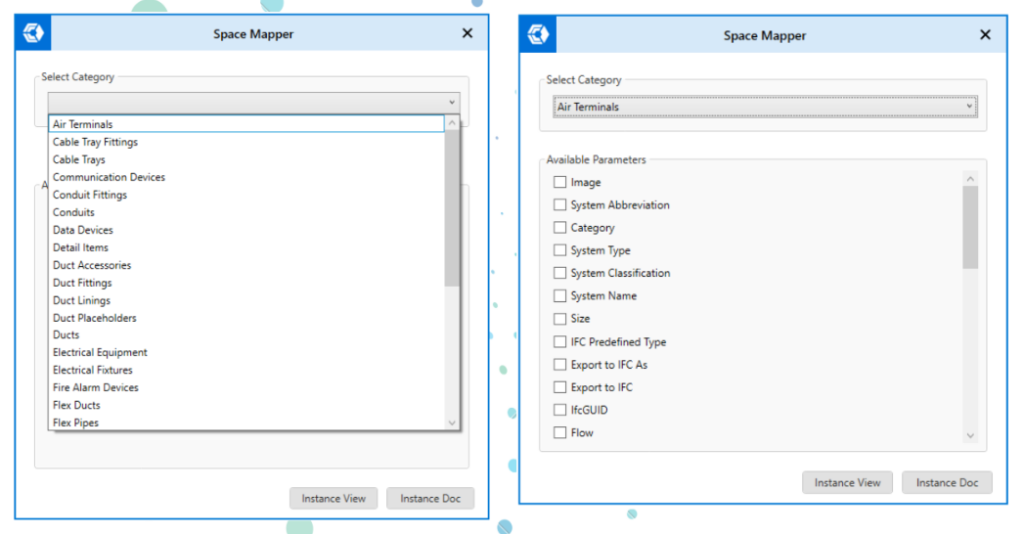
- Space Mapper – Linked elements with correct room and parameter data
- Scope Box Mapper – Assigned elements to zones using spatial logic
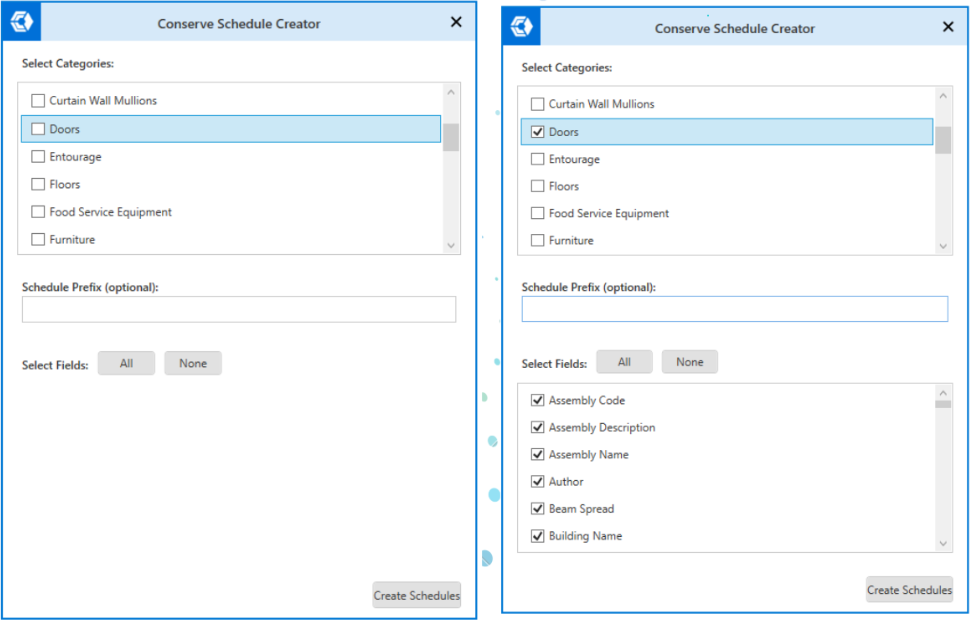
- Schedule Creator – Generated schedules automatically
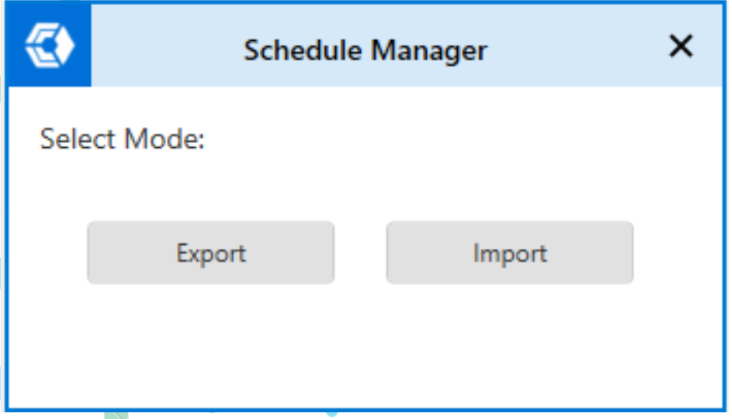
- Schedule Manager – Enabled Excel export/import for review and updates
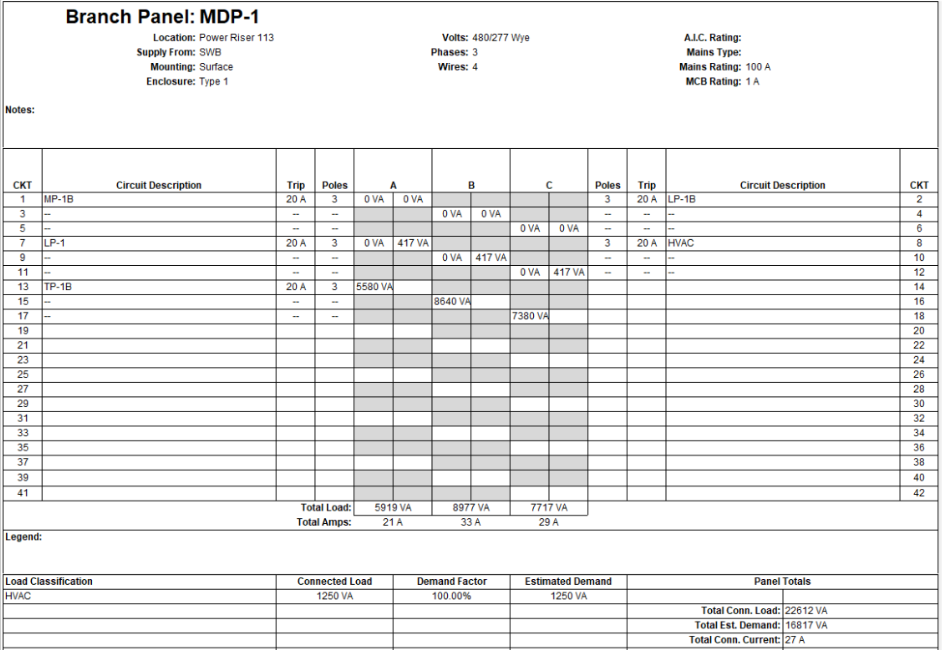
- Export Panel Schedule – Generated structured panel reports
c. Integration (Impact Layer)
- Connected model data with documentation workflows
- Enabled synchronization between Revit and Excel processes
- Reduced dependency on manual coordination and repeated checks
- Maintained alignment between model updates and project outputs
Project Timeline:
- Overall Duration: 4-5 Weeks
- Included setup, testing, and workflow adoption across teams
Software and Technology Used:
- Autodesk Revit
- Conserve Box Automation Tools
- Microsoft Excel
Before vs After Automation (High Impact Section)
| Metric | Before | After |
|---|---|---|
| Space Creation | 100% manual (~8 hrs/model) | 80–90% automated (~1–2 hrs/model) |
| Schedule Creation | 100% manual (~6 hrs/project) | Bulk automated (~1 hr/project) |
| Data Consistency | ~50–65% accuracy | ~93–98% accuracy |
| Excel Coordination | ~5 hrs/week manual effort | ~1 hr/week integrated workflow |
| Zone Classification | ~50% coverage | ~95% systematic classification |
| QA Verification Effort | ~10 hrs/model | ~3–4 hrs/model |
Why Conserve Solutions
- Process-first approach to BIM workflow challenges
- Strong focus on data consistency and QA integration
- Scalable solutions across disciplines
- Combination of BIM expertise and automation capability
- Focus on improving client workflows, not just delivering tools
Conclusion
This case study demonstrates that BIM challenges are often driven by disconnected information workflows rather than geometry issues.
By integrating spaces, schedules, zones, and documentation through automation, the solution:
- Improved BIM data reliability
- Reduced manual coordination effort
- Strengthened documentation consistency
A connected workflow ensures that model information remains accurate and aligned throughout project development, improving both coordination quality and delivery confidence.
Client Outcome
“The implementation helped us maintain better control over BIM data across spaces, schedules, and documentation. The reduction in manual coordination significantly improved our workflow efficiency.”
– BIM Project Team

Quick Links
Copyrights © 2026. Conserve Solutions. All Rights Reserved.
BIM Data, Cost & Handover Services
BIM Coordination & Constructability
BIM Modelling & Digital Delivery
Discipline BIM Modeling (Architectural, Structural, MEP)
BIM Automation & Digital Engineering
BIM Data, Cost & Handover Services
Structural & Steel Detailing Services
Architectural Design, Visualization & Presentation Support
BIM Coordination & Constructability
BIM Modelling & Digital Delivery