- Inspire
- Innovate
- Integrate

- Home
- sdfsf
sdfsf
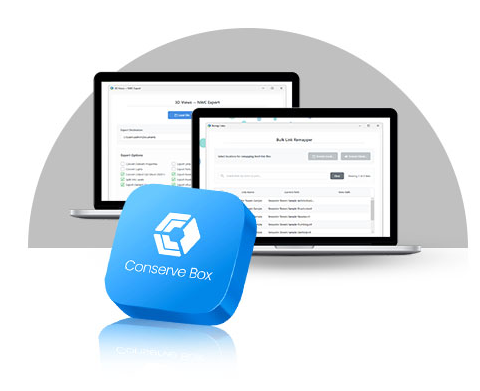
Conserve Box
An Automation & Solution
Providing Tool
CBox helps BIM teams focus on
Design and coordination instead of repetitive, error-prone work.
Choose your Solution Here!


 2k+ Downloads
Join hundreds of BIM professionals who have accelerated their Revit productivity with CBox tools.
About
CBox – BIM Automation Tools by Conserve
Conserve’s CBox suite extends your BIM Automation Services into ready-to-use productivity tools for Autodesk Revit users, while your core consulting team continues to deliver custom automation and workflow solutions. The content below is structured as a common “CBox” page with three product sections: CBox FM, CBox Connect, and Conserve Box. All wording is adapted from the text you shared.
Get Conserve Box Today
Join hundreds of BIM professionals who have accelerated their Revit productivity with CBox tools.

9 + Reviews
CBox FM
Schedule Creator
Quickly generate standardized schedules with custom fi elds and naming for consistent documentation.
Schedule Manager
Sync Revit schedules with Excel for bulk edits and collaborative data updates.
Export Panel Schedule
Export panel schedules to structured Excel fi les for coordination and record keeping.
Space Creator
Auto-create spaces from linked room data with reliable level mapping and safe transactions.
Space Mapper
Push Room Name/Number into chosen parameters to improve spatial data and FM readiness.
CBox Connect
CBox Connect links Revit with Autodesk cloud ecosystems, automating NWC exports and link remapping so multi-model, cloud-hosted, and coordination workfl ows run with less setup time and fewer broken links.
CBox Connect - Key Tools & Capabilities
Batch NWC Export
Batch-export 3D views to NWC from local or cloud-hosted Revit models without opening them.
Link Remapper
Remap and reload multiple Revit links in one go when paths, locations, or cloud projects change.
Conserve Box
Conserve Box packages annotation, dimensioning, and tagging tools that standardize grids, levels, openings, and MEP elements, cutting manual drafting effort and delivering clearer, more consistent drawings across plans, sections, and elevations.

CBox Connect - Key Tools & Capabilities
Grid Annotation
Control grid bubbles and auto-dimension orthogonal/inclined grids for clear layouts.
Grid Annotation
Control grid bubbles and auto-dimension orthogonal/inclined grids for clear layouts.
Level Annotation
Manage level bubbles and dimensions in sections/elevations for clean vertical coordination.
Level Annotation
Manage level bubbles and dimensions in sections/elevations for clean vertical coordination.
Opening Dimension
Auto-dimension doors and windows to grids, speeding up plan documentation.
Section Dimension
Dimension MEP elements with custom prefixes for consistent CSD and section outputs.
Section Dimension
Dimension MEP elements with custom prefixes for consistent CSD and section outputs.
Dimension Align Text
Align dimension texts neatly to improve drawing readability.
Plan Tagging
Bulk tag plan elements with filtering to avoid overlaps and clutter.
Elevation Tagging
Bulk tag elevations (doors, windows, rooms, lintels) while maintaining clear views.
Elevation Tagging
Bulk tag elevations (doors, windows, rooms, lintels) while maintaining clear views.
Link Worksets
Auto-create and assign worksets for links, with prompts to remove unused ones.
Anchor Elevation
Set element elevations from nearest floor/ceiling with optional tolerance for precise control.
Anchor Elevation
Set element elevations from nearest floor/ceiling with optional tolerance for precise control.
Batch Hide Linked Elements
Hide selected linked elements in a view in one step for faster view management.
Batch Hide Linked Elements
Hide selected linked elements in a view in one step for faster view management.
Get Conserve Box Today
Join hundreds of BIM professionals who have accelerated their Revit productivity with CBox tools.
9 + Reviews
Benefits of
CBox
Reduced Manual Errors
Automated schedules, tagging, exports, and link management signifi cantly reduce human error in data handling and documentation.
Lower Manpower Dependency
By automating routine BIM tasks, teams can achieve more with fewer repetitive manual touchpoints, freeing specialists for higher-value work.
Higher Production Efficiency
CBox tools streamline everyday Revit workflows, helping teams produce drawings, schedules, and data deliverables in a fraction of the usual time.
Less Time on Repetitive Tasks
Batch exports, automated dimensions, tag placement, space creation, and schedule management reduce the time spent on repetitive modeling and documentation activities.
Precision and Accuracy
Rule-based dimensions, tagging, and data mapping maintain consistent standards across views, models, and projects, improving overall output quality.
Customizable and Scalable
The CBox suite can be adopted module-by-module and tailored to project standards, scaling from single projects to enterprise-wide BIM environments.
Why Choose
Conserve Solutions CBox?
Built by BIM Practitioners
CBox tools are developed from real project experience, targeting the exact pain points BIM teams face in production and coordination.
Aligned with BIM Automation Services
As part of a broader BIM Automation and consulting capability, CBox integrates naturally into your existing standards, templates, and workfl ows.
Autodesk Revit Ecosystem Ready
Designed specifi cally for Revit users, with plugins and scripts that fi t into day-to-day practice without disruptive process changes.
Proven on Live Projects
The suite has been applied in real-world project environments, helping teams deliver faster with more consistent model outputs and documentation.
Continuous Improvement & Support
CBox evolves based on project feedback and user reviews, backed by Conserve’s technical support and implementation guidance.
Supercharge Your BIM Productivity
Ready to cut repetitive work, reduce errors, and scale your BIM delivery capacity? Talk to our team about CBox today and see how CBox FM, CBox Connect, and Conserve Box can transform your Revit workfl ows.
Frequently Asked Questions
FAQ's
You can start with any single CBox module (FM, Connect, or Conserve Box) based on your current priorities and expand as your needs grow.
No. CBox is equally useful for small and mid-sized projects where teams want to standardize workfl ows and save time on repetitive tasks.
CBox is designed to work with your current standards. Most tools can be confi gured to align with existing naming conventions, parameters, and documentation styles.
In most cases, teams experience immediate benefi ts once workfl ows such as schedule management, tagging, or exports are moved to CBox tools.
Yes. CBox can complement your existing custom tools and can be integrated into a larger automation roadmap designed by Conserve’s BIM Automation consulting team.
Get in Touch
Have Any Other Questions?
[contact-form-7 id="7673647" title="Contact form 2"]

Quick Links
Copyrights © 2026. Conserve Solutions. All Rights Reserved.
BIM Data, Cost & Handover Services
BIM Coordination & Constructability
BIM Modelling & Digital Delivery
Discipline BIM Modeling (Architectural, Structural, MEP)
BIM Automation & Digital Engineering
BIM Data, Cost & Handover Services
Structural & Steel Detailing Services
Architectural Design, Visualization & Presentation Support
BIM Coordination & Constructability
BIM Modelling & Digital Delivery